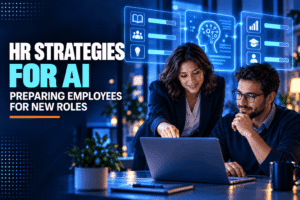
HR strategies for AI-driven roles work best when they begin with the actual tasks employees do, not a company-wide instruction to “learn AI”. A recruiter using AI to sort applications needs different practice from a finance analyst checking forecasts or a support agent reviewing suggested replies. HR can help managers map those changes, give employees time to learn, and set clear limits on what software may decide.
The OECD reports that fewer than 1% of workers are likely to need advanced AI-specific skills such as model development. For many roles, data interpretation, problem-solving and communication matter more. The same OECD review finds that employer-funded training is common among workers who use AI, and trained AI users more often report positive workplace outcomes.
How HR strategies for AI-driven roles begin: map tasks first
Choose a few roles and list the work employees perform in a normal week. Separate routine tasks, judgement calls, sensitive decisions and work that depends on relationships. Then ask where AI could draft, summarise, search or flag information, and where a person must check the result.
A customer-support role, for example, may use AI to summarise a long ticket.
2. Build AI workforce planning around real demand.
Forecast which teams will use AI, which tasks may change, and what new work could appear. Include likely adoption dates, not just a list of tools under consideration. Ask business leads what work is delayed or repeated today, and involve employees who do it; they often know where the process stops.
Update the forecast as pilots produce evidence.
3. Write a role-based skills map
Describe the skills employees need to complete specific tasks with AI. A marketing analyst may need to question a generated summary and trace its figures to source data. A manager may need to review AI-assisted recommendations without treating them as instructions. A recruiter may need to spot when an automated ranking misses relevant experience.
“AI literacy” is too broad to guide a course or promotion decision.
4. Offer AI skills training for employees during work hours
Give people a protected block of time to learn with the tools they are expected to use. A short session can explain approved systems and data rules; guided practice can then use examples from the employee’s own job.
Managers need to schedule coverage, and HR should make the materials available to part-time, remote and shift workers too. If the organisation changes tools, refresh the examples rather than leaving old lessons in place.
5. Teach checking, not just prompting.
Prompt writing is only one part of the job. Employees also need to verify names, calculations, citations, dates and claims before using generated material. Ask learners to compare outputs with a trusted source and mark what the software could not establish.
For a sales proposal, that might mean confirming product details and customer facts before sending a draft. For a hiring summary, it means checking that the notes reflect the interview rather than an unsupported inference.
6. Create employee reskilling for AI paths
Reskilling works when employees can see where their current experience may lead. If routine scheduling moves to software, an administrator might learn workflow review, exception handling or service coordination. If analysts spend less time assembling reports, some can learn deeper interpretation and stakeholder communication.
Offer a path with a starting assessment, learning modules, supervised practice and a chance to demonstrate the new task. Make the transition visible in internal job postings.
7. Let employees test tools on low-risk work.
Set up a pilot with volunteers and a task that can be checked before it affects a customer, candidate or employee. Ask participants to record where the tool saves time, where it adds review work and which errors recur. Keep the pilot narrow enough that someone can investigate a problem quickly.
Do not begin with high-impact decisions such as hiring, promotion or discipline.
8. Set clear rules for human review
For each use, say what AI may suggest, what a person must confirm and who owns the final decision. A generated performance note should not become a manager’s conclusion without checking the underlying evidence. An applicant score should not quietly become a rejection rule.
Write these limits in plain language and include an escalation route. If employees can’t tell whether they are allowed to use a tool or share a type of information, they will either avoid it or use it without asking.
9. Protect private and sensitive information
Explain which systems are approved and which details must stay out of public tools. Examples may include customer records, candidate notes, health information, compensation details and unreleased business plans. Tell staff how to report an accidental disclosure and what happens next.
Review access as roles change. A worker who can view a file for one task may not need to submit it to an AI service. Record approvals, and revisit them when roles change, tools are replaced, or teams adopt uses.
10. Update hiring and internal mobility
Review job descriptions for tasks that have changed. If a role now requires checking AI outputs, say what good checking looks like instead of adding “AI skills” as a vague line.
Look inside the organization before assuming every new need calls for an external hire. Employees may already understand the customers, data or workflows involved.
11. Coach managers to lead the change
Managers shape whether people ask questions or hide mistakes. Give them a briefing on approved uses, review expectations and how to discuss workload changes. Encourage them to ask what the tool changed in a process, rather than assuming a faster draft means the whole task is finished.
If a team is expected to check every result, that checking time belongs in workload estimates. Otherwise the tool may add invisible work while official productivity measures suggest the opposite.
12. Review job design and workload
When a task becomes faster, find out what fills the saved time. Does the employee handle more cases, spend longer with customers, or take on review work? Ask the team and compare workload, error rates and service quality before and after a change.
Avoid treating every minute saved as capacity that can immediately be removed. Verification, exception handling and learning all take time. A role may need fewer repetitive steps yet require more judgment.
13. Make HR technology and AI understandable
Employees should know when an AI system is involved in a work process, what information it uses and whether a person can review or challenge an outcome. This matters for tools used in recruitment, scheduling, learning recommendations and performance management.
NIST’s AI Risk Management guidance offers organizations a voluntary way to identify and manage risks across the design, use and evaluation of AI systems. HR teams can use that as a prompt to ask who is accountable, what could go wrong, how results will be checked and how workers can raise concerns.
14. Track results that include people
Measure more than course completion or tool logins. Check whether employees can complete the task, how often they correct outputs, whether errors reach customers, and whether workload or job satisfaction changes. Gather feedback by role and team, since an average can hide a poor experience in one department.
Use a baseline before rollout and choose a review date. If a team reports that AI saves time but its correction queue grows, the tool may have moved work rather than removed it.
15. Connect recruiting to demand generation.
AI-driven roles can be hard to explain to candidates, especially when the title is new but the work resembles an existing job. HR and marketing can share clear examples of the role, its training path and the decisions people still own. This is where Demand Generation can support recruitment: useful articles, webinars and role pages can reach people interested in the field before a vacancy opens.
Keep the message honest. Do not promise that a job is “AI-proof” or imply that every employee will become a machine-learning specialist. Explain the tools the team uses, how new hires learn them, and what a typical week involves.