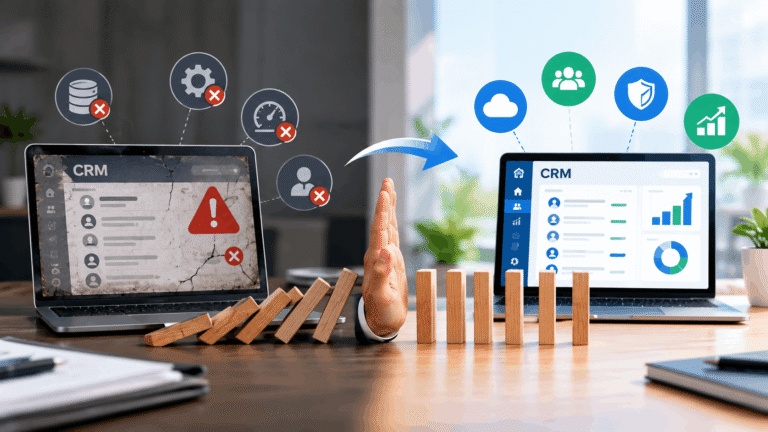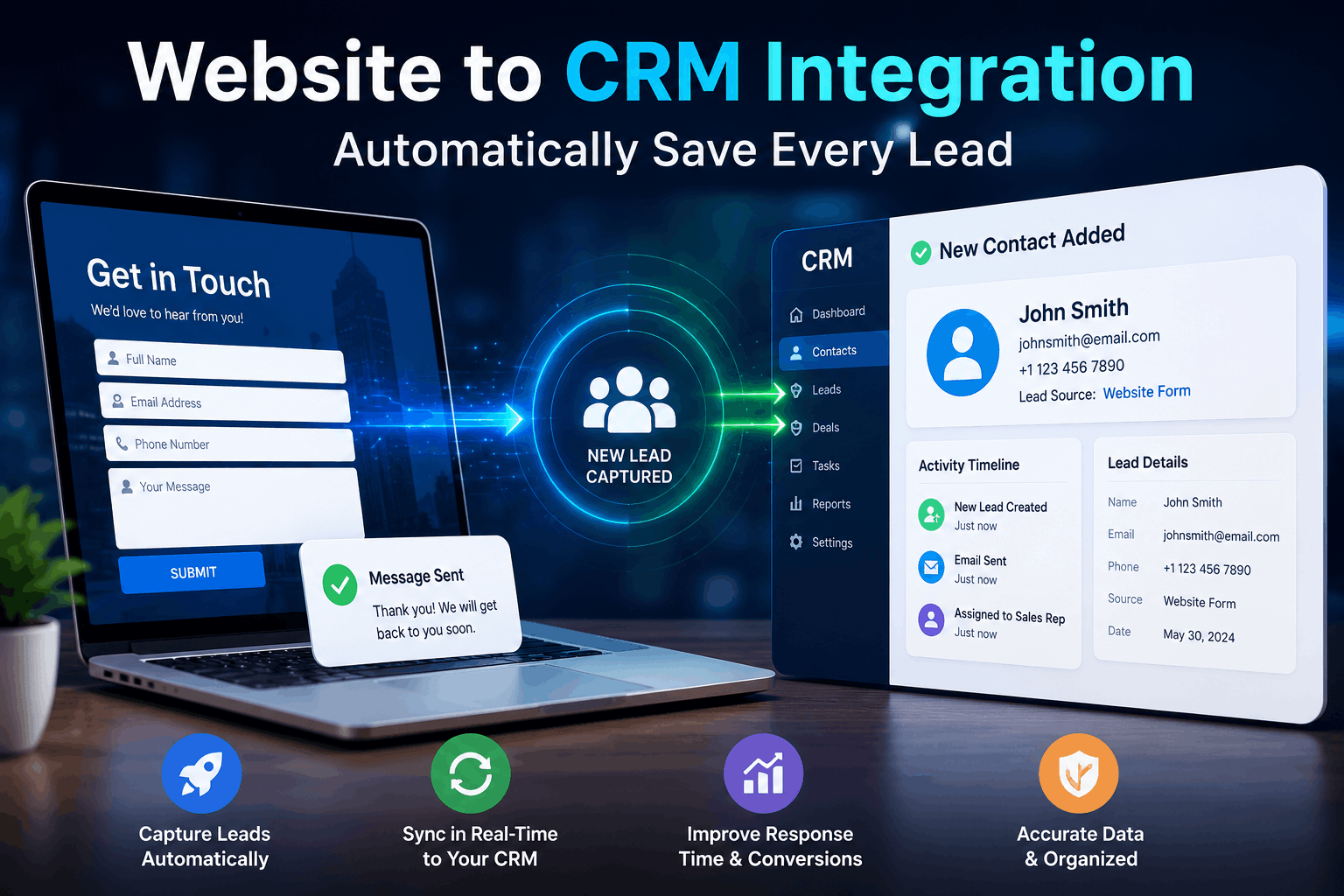
Website to CRM Integration starts with capturing every customer interaction the moment it happens. Every visitor who fills out a contact form represents a potential business opportunity. Yet many companies still lose valuable prospects because inquiries remain trapped in email inboxes, spreadsheets, or disconnected systems. Website to CRM Integration eliminates this problem by automatically converting every website message into a structured CRM contact. Instead of manually copying information between platforms, businesses create a seamless process that improves CRM lead capture, accelerates follow-ups, and strengthens customer relationship management.
Modern customers expect immediate responses.
They submit inquiries from laptops.
Mobile phones.
Landing pages.
Live chat widgets.
Product pages.
Every interaction creates valuable information.
If those details aren’t captured instantly, businesses risk delayed responses, duplicate records, or missed sales opportunities.
That’s why automated CRM integration has become an essential part of digital business operations.
What Is Website to CRM Integration?
Website to CRM Integration connects your website directly with your Customer Relationship Management system.
Whenever someone submits a contact form, requests a demo, downloads a resource, or sends an inquiry, the information automatically appears inside the CRM.
Instead of relying on manual data entry, businesses receive organized customer records within seconds.
Most integrations capture important details such as:
- Customer name
- Email address
- Phone number
- Company information
- Inquiry details
- Source of the lead
- Submission date
- Marketing campaign information
This automation reduces repetitive work while ensuring every potential customer enters the sales pipeline without delay.
Why Manual Lead Collection Slows Business Growth
Many businesses still manage website inquiries manually.
An employee opens an email.
Copies customer information.
Creates a CRM contact.
Assigns the lead.
Then forwards the inquiry to the sales team.
Although this process appears simple, it creates unnecessary delays.
Manual workflows increase the risk of:
- Data entry mistakes
- Duplicate contacts
- Lost inquiries
- Delayed responses
- Inconsistent customer records
When response times increase, customer interest often decreases.
Automating lead management allows businesses to engage prospects while their interest remains high.
How CRM Lead Capture Works Automatically
Automated CRM lead capture begins the moment a visitor completes a website form.
Instead of storing information inside an email inbox, the website immediately transfers the data to the CRM using secure integration.
Once received, the CRM can automatically:
- Create a new customer profile
- Assign the lead to a sales representative
- Notify team members
- Trigger welcome emails
- Schedule follow-up activities
- Categorize leads by source
Everything happens within seconds.
Sales representatives spend less time organizing information and more time building relationships with prospective customers.
The Benefits of CRM Automation
Automation delivers much more than convenience.
It improves consistency across every customer interaction.
Businesses using CRM automation experience several operational advantages.
Faster Response Times
Quick responses often influence purchasing decisions.
When customer inquiries immediately enter the CRM, sales teams receive instant notifications.
Prospects receive timely communication instead of waiting hours or even days, for someone to manually process their request.
Better Data Accuracy
Manual copying frequently introduces spelling mistakes, duplicate records, and incomplete customer information.
Automated synchronization transfers information exactly as customers submit it.
This improves database quality while reducing administrative corrections.
Improved Sales Productivity
Sales professionals should spend their time speaking with customers instead of performing repetitive administrative tasks.
Automation eliminates manual data entry, allowing teams to focus on higher-value activities such as consultations, demonstrations, and closing deals.
Why Website Contact Forms Still Matter
Some businesses believe live chat or social media has replaced traditional forms.
In reality, website contact forms remain one of the most reliable lead generation channels.
They allow customers to:
- Request quotations
- Book consultations
- Ask product questions
- Schedule demonstrations
- Download business resources
- Contact support teams
Every submission reflects genuine customer interest.
Connecting these forms directly with the CRM ensures valuable opportunities never disappear inside crowded email inboxes.
Strengthening Customer Relationship Management
A CRM becomes significantly more valuable when customer information enters automatically.
Rather than waiting for employees to update records manually, customer relationship management systems continuously receive fresh customer data.
Sales representatives immediately understand:
- Where the customer originated
- Which webpage generated the inquiry
- Which campaign attracted attention
- What products interested the visitor
- When communication began
This context helps businesses personalize future conversations instead of treating every customer identically.
Supporting Better Lead Generation
Successful lead generation doesn’t end when someone submits a contact form.
The real opportunity begins afterward.
Without proper follow-up, qualified prospects can quickly lose interest or choose a competitor.
Website-to-CRM automation keeps every lead organized from the very beginning.
Marketing and sales teams gain visibility into:
- New inquiries
- Conversion sources
- Campaign performance
- Customer interests
- Follow-up progress
- Sales pipeline activity
Instead of reacting after opportunities are missed, businesses maintain a structured process that improves conversion rates while creating a better customer experience.
Comparing Manual Processes with Website to CRM Integration
Many businesses underestimate how much time is spent transferring customer information between systems.
While manual methods may work for a small number of inquiries, they quickly become inefficient as lead volume increases.
The table below highlights the difference.
| Feature | Manual Lead Collection | Website to CRM Integration |
| Lead Entry | Manual copy and paste | Automatic CRM contact creation |
| Response Time | Delayed | Instant notifications |
| Data Accuracy | Higher risk of errors | Accurate synchronized records |
| Team Collaboration | Manual assignment | Automated workflows |
| Lead Tracking | Limited visibility | Complete CRM history |
| Productivity | Administrative workload | Sales-focused workflow |
| Scalability | Difficult to manage | Easily handles growing lead volumes |
As businesses grow, automation becomes less of a convenience and more of a necessity.
How Sales Automation Improves Customer Response
Capturing a lead is only the beginning.
What happens next often determines whether a prospect becomes a customer.
With sales automation, businesses can build intelligent workflows that respond immediately after a contact form is submitted.
For example, the CRM can automatically:
- Send a personalized confirmation email
- Assign the inquiry to the correct sales representative
- Create follow-up reminders
- Schedule future calls
- Notify department managers
- Update sales dashboards
These automated actions reduce response times while ensuring every inquiry receives consistent attention.
Why Contact Management Becomes More Organized
Customer information often arrives from multiple channels.
Website forms.
Landing pages.
Live chat.
Marketing campaigns.
Referral programs.
Without proper organization, duplicate records and fragmented customer histories become common.
Effective contact management centralizes all interactions inside a single CRM profile.
Sales teams can quickly review:
- Previous conversations
- Submitted inquiries
- Purchased products
- Marketing interactions
- Customer preferences
- Follow-up activities
Having one complete customer profile helps teams deliver more personalized communication throughout the sales journey.
Connecting Website Forms with Business Workflows
Modern businesses use more than simple contact forms.
Websites often include:
- Demo request forms
- Quote requests
- Newsletter subscriptions
- Event registrations
- Support inquiries
- Product downloads
Every one of these website forms represents valuable business intelligence.
When integrated with a CRM, businesses can trigger different workflows depending on the type of inquiry.
For example, demo requests can be routed directly to the sales team, while support requests automatically reach customer service.
This intelligent routing improves efficiency without requiring manual intervention.
Using CRM Software for Smarter Decisions
Modern CRM software does much more than store customer records.
It provides valuable insights that help businesses improve marketing and sales performance.
Managers can analyze:
- Lead sources
- Conversion rates
- Sales pipeline activity
- Campaign performance
- Customer response times
- Team productivity
These reports help identify successful marketing channels while highlighting opportunities to improve customer engagement.
Instead of relying on assumptions, decision-makers use measurable data to guide future strategies.
Common Challenges During CRM Integration
Although automation offers significant advantages, successful implementation requires careful planning.
One challenge involves integrating older websites with modern CRM platforms.
Businesses should also ensure customer data remains secure throughout the synchronization process.
Additional considerations include:
- Data mapping accuracy
- Duplicate record prevention
- User permission management
- Compliance with privacy regulations
- Workflow customization
- Staff training
Addressing these areas early helps organizations avoid operational disruptions while maximizing the value of CRM integration.
Best Practices for Successful Website to CRM Integration
Technology performs best when supported by well-designed business processes.
Organizations should regularly review how customer information moves from the website into the CRM.
Recommended practices include:
- Test every contact form regularly
- Standardize required form fields
- Validate customer information automatically
- Remove duplicate contacts
- Monitor CRM workflow performance
- Review lead assignment rules
- Measure response times consistently
Regular optimization keeps the integration accurate, efficient, and aligned with changing business needs.
Modern businesses increasingly depend on Website to CRM Integration, CRM lead capture, lead management, CRM automation, website contact forms, customer relationship management, lead generation, sales automation, contact management, website forms, and intelligent CRM software to create faster, more reliable customer acquisition processes. Organizations that automate website inquiries can reduce manual work, improve response times, strengthen sales collaboration, and deliver a smoother experience from the very first customer interaction.