Running social media for your business or personal brand in 2026 can feel overwhelming if you are posting manually every day. You end up jumping between apps, forgetting to post, or publishing at the wrong times. The good news is that Free Social Media Scheduling Tools options have become surprisingly capable. These tools let you plan, design, and schedule posts across platforms in advance so you can stay consistent without spending hours every week.
Whether you are a small business owner, freelancer, content creator, or solopreneur, the right free social media scheduling tools can easily save you 5 to 15 hours per month. In this guide, I will show you the best options available right now, how they actually work in real life, and how to choose one that fits your needs without spending a single dollar upfront.
Why You Need Free Social Media Scheduling Tools in 2026
Consistency is everything on social media, but most people struggle with it. You create great content, yet it sits on your phone or computer because you do not have time to post it at the best moments. Manual posting also leads to burnout and irregular schedules that hurt your reach.
Free social media scheduling tools solve this problem by letting you batch-create content once a week or once a month and schedule everything to go live automatically. This approach gives you back your time, improves posting consistency, and helps algorithms notice your brand more positively.
Many small businesses and creators I have spoken with say switching to a scheduler was one of the smartest moves they made. Instead of reacting daily, they plan strategically. Plus, most modern free tools now include basic analytics so you can see what is actually working and adjust quickly.
If you are tired of last-minute posting or feeling guilty about skipping days, these tools can bring structure and calm to your social media game.
Best Free Social Media Scheduling Tools in 2026
Here are the strongest free social media scheduling tools that deliver real value without requiring payment to get started.
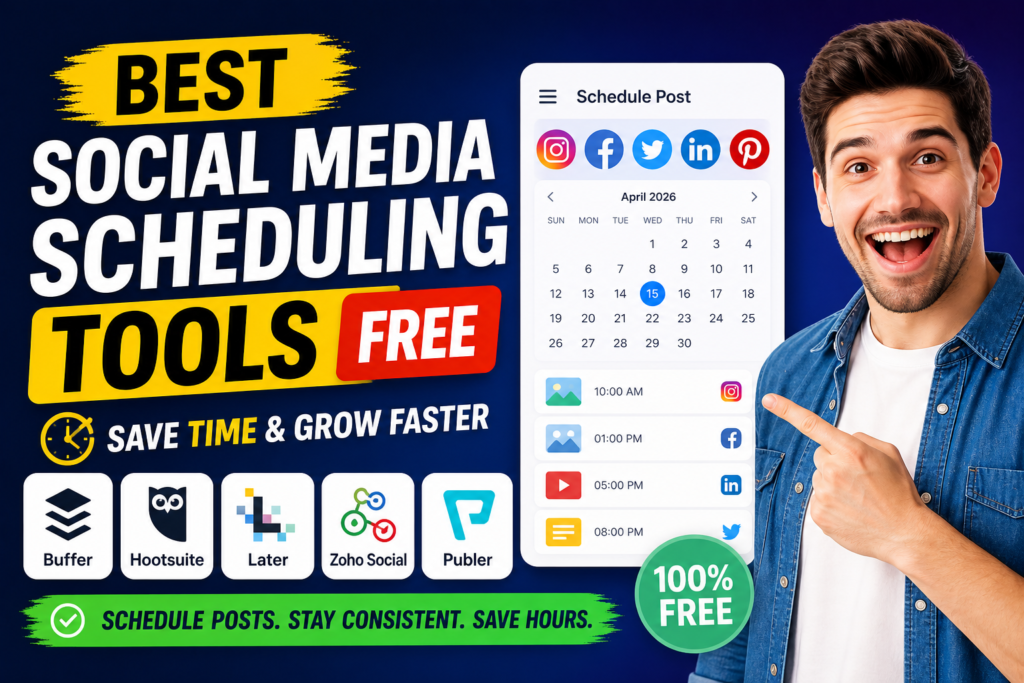
Buffer continues to be one of the most popular and beginner-friendly choices. Its free plan allows you to connect up to 3 social channels and schedule around 10 posts per channel that refresh as posts go live. The interface is clean and simple, making it perfect for solopreneurs and small businesses. You get a visual calendar, basic analytics, and the ability to schedule for Instagram, Facebook, LinkedIn, X (Twitter), TikTok, and more. Many users love Buffer because it feels lightweight yet reliable.
Metricool stands out for those who want more analytics even on the free plan. You can manage one brand with multiple networks and schedule a decent number of posts per month. What makes it special is the solid performance data it provides for free, including engagement insights and best posting times. It works well for Facebook, Instagram, TikTok, LinkedIn, and others. If data-driven decisions matter to you, Metricool is often one of the best free social media tools available right now.
Meta Business Suite is completely free and built directly by Meta. It is excellent if Facebook and Instagram are your main platforms. You can schedule posts, reels, and stories, manage comments, and view insights all in one place. The mobile app makes it convenient for on-the-go adjustments. While it only covers Meta platforms, it is powerful, native, and has no hidden limits for basic scheduling needs.
Publer offers a generous free tier with support for multiple accounts and a good volume of scheduled posts. It includes features like content recycling for evergreen material and a clean workspace. It is particularly helpful for users who want to maintain a steady flow without constantly creating new content.
Later is a favorite for visual-first creators who focus heavily on Instagram and TikTok. The free plan includes a visual content calendar and media library that helps you plan your grid aesthetically. It is intuitive for anyone who cares about how their feed looks.
Other noteworthy mentions include Zoho Social (which has a usable free plan for basic needs) and lightweight options like Pallyy for creators who want a modern, simple experience.
How to Schedule Social Media Posts Free Without Stress
Getting started with schedule social media posts free is easier than most people think. Here is a practical step-by-step approach that works well:
- Define your goals and platforms — Decide which networks matter most (Instagram, LinkedIn, TikTok, etc.) and what type of content performs best for your audience.
- Choose the right tool — Start with Buffer or Metricool if you need multi-platform support. Go with Meta Business Suite if you mainly use Facebook and Instagram.
- Batch your content creation — Set aside one or two hours weekly to create or curate posts, captions, images, and videos.
- Use the visual planner — Most tools let you drag and drop posts into a calendar so you can see the full month at a glance and maintain variety.
- Set optimal posting times — Use the built-in suggestions or basic analytics to schedule when your audience is most active.
- Review and adjust — Check performance weekly and refine your approach. The beauty of these tools is that you can edit or reschedule posts easily before they go live.
Many users start by scheduling one week ahead and gradually move to scheduling an entire month. This habit alone can dramatically reduce daily stress.
Key Features to Look for in Free Tools for Social Media Management
When evaluating free tools for social media management, focus on what actually helps you save time and grow:
- Multi-platform support so you do not have to use different tools for each network.
- Visual content calendar for easy planning and spotting gaps.
- Basic analytics to understand which posts get engagement.
- Bulk scheduling or uploading options to speed up the process.
- Mobile app access because you will want to make quick changes on the go.
- Simple approval or team features if you work with others.
- Evergreen content recycling to keep older valuable posts circulating.
Even on free plans, many tools now include AI assistance for caption suggestions or hashtag recommendations, which adds extra value without extra cost.
The most important thing is reliability. You want a tool that actually publishes on time and does not drop posts. From user feedback in 2026, Buffer and Metricool score high on consistency.
How to Choose the Right Social Media Planner Tools for Your Needs
Picking the best social media planner tools depends on your specific situation. Here are some quick guidelines:
- Solopreneurs and small businesses → Start with Buffer. It is simple, fast to learn, and gets the job done without overwhelming you.
- Visual content creators (Instagram/TikTok) → Later or Metricool give you better planning for aesthetics and performance.
- Facebook and Instagram heavy users → Meta Business Suite is hard to beat because it is native and completely free.
- Data lovers who want insights → Metricool edges out others with its generous free analytics.
- Teams or growing brands → Look at tools that allow basic collaboration even on free tiers, or plan to upgrade later.
Test at least two tools for one week each. Most free plans let you connect accounts and schedule real posts without any risk. Pay attention to how intuitive the interface feels because you will use it regularly.
Do not worry about perfection in the beginning. The goal is to move from chaotic daily posting to a calm, planned system. Once you see the time savings, you can always explore paid upgrades for more advanced features like unlimited posts or team approvals.
Pro Tips to Get Maximum Value from Free Social Media Scheduling Tools
To truly save time and grow your presence, follow these practical tips:
- Batch content creation on fixed days (for example, every Monday morning).
- Create content pillars so your feed stays consistent and on-brand.
- Use link-in-bio tools together with your scheduler for better traffic flow.
- Always add value-first captions instead of hard-selling every post.
- Review analytics every two weeks and double down on what works.
- Combine your scheduler with Canva or Adobe Express for quick design work.
Many people make the mistake of over-relying on automation and forgetting the human element. The best results come when you use these social media automation tools free for scheduling while still engaging with comments and messages personally.
In 2026, consistency beats perfection. These free tools make consistency realistic even if you are busy running a business or creating content full time.
Start small. Pick one tool today, connect your top two platforms, and schedule your next seven posts. You will immediately feel the difference in reduced stress and better organization.
The right free social media scheduling approach can transform social media from a time drain into a manageable, even enjoyable part of your business strategy. Take advantage of the generous free plans available this year and reclaim your time while growing your audience.