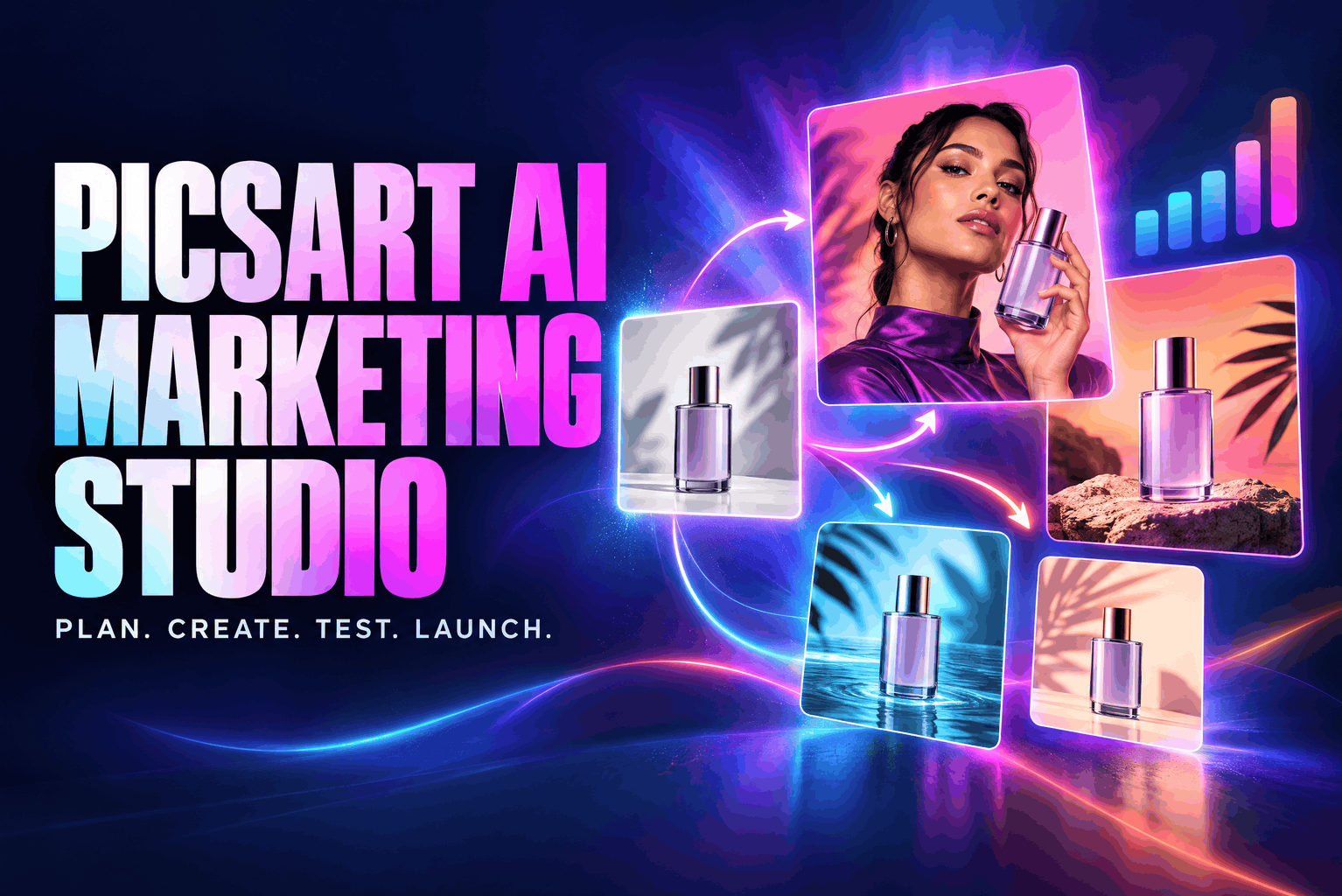
Picsart AI Marketing Studio has launched with a pitch aimed at small teams: plan an ad, make the creative, compare variations, run a campaign and use its results to decide what to make next. The new product joins content production to advertising rather than stopping at a finished image or video. Google Ads is available at launch; the product page lists Meta Ads and TikTok Ads as coming soon.
Picsart AI tools now form a campaign workflow. Users start with a website and product, generate ads, and review settings before launch. Fewer handoffs do not prove better results.
What Picsart AI Marketing Studio includes
Picsart describes five stages: plan, create, test, launch and learn. In the planning step, a user provides a website and business context. The studio proposes audiences, channels, budget direction and competitor considerations. Users can bring in a brand kit or build one, then add a product by pasting its page link or uploading an image.
The creation step turns those starting materials into still or video ads. The user can choose an avatar, style and scene, then generate a script with dialogue and voiceover. The product page also lists synced dialogue, product staging, a saved product library and brand-kit support. The intention is plain: give a marketer a first draft without arranging a shoot or opening several editing tools.
From product photo to AI ad creation
A visible feature is creator-style video. Picsart says users can supply a product link or image, select an avatar, and create a short video with generated speech, lip sync and product scenes. Its UGC tool lists formats such as talking-head videos, reviews, unboxings, testimonials, street interviews and app demos. Vertical exports are designed for short-form feeds.
This type of AI ad creation lowers the cost of trying a concept. A seller could compare a close-up product demonstration with a presenter explaining one feature, then test different opening lines. That does not mean a generated presenter has used the product. If a video looks like a real customer’s endorsement, the marketer must not invent an experience or pass a synthetic actor off as a buyer. The FTC’s endorsement and testimonial guidance calls for truthful claims and clear disclosure of relevant connections.
A face, direct address and conversational script borrow the cues of a personal recommendation. That can blur who is speaking. Review claims, disclose when presenters are synthetic where needed, and get permission before using someone’s likeness or voice. The tool builds the scene; advertisers remain responsible for the impression it leaves.
Testing scores are not sales results
Marketing Studio adds a testing stage before media spend. Users can produce variations with different hooks, avatars and angles, then use Zappi consumer insights and predictive scoring to compare the drafts. Picsart’s launch announcement says the model identified stronger creative on key metrics 86% to 93% of the time in validation against hundreds of ads assessed by real consumers.
That figure is a vendor-reported validation result, not a promise that a particular campaign will outperform. It does not tell a new advertiser what return a video will earn with its own audience, offer or budget. Picsart’s product page itself distinguishes predictive scores from campaign results: scores can help choose what to test, while actual campaign data shows what happened after launch.
Google Ads comes first
The launch connects the studio to Google Ads. Users can set targeting and budget, review the campaign and approve its launch within Picsart. The product page says that connecting an account is not the same as approving campaign spend, so the person running the work retains a review step before money is committed.
That approval point deserves attention. A campaign can be technically ready while still containing the wrong product image, a stale price, an overconfident benefit claim or a destination page that does not match the ad. Someone should check the complete customer journey, including what the click opens, not only the creative preview.
Google Ads guidance describes campaigns built from combinations of images, logos, headlines, descriptions and video assets. The platform may assemble assets in different combinations across placements. That means a headline or image should make sense on its own, not only beside a carefully composed companion asset. Before launch, review the available previews and keep a record of which variations entered the campaign.
For now, Google Ads is the live paid-distribution integration. Meta Ads and TikTok Ads are marked as forthcoming on Picsart’s product page, even though the studio can create vertical video assets for those social channels. A marketer comparing social media marketing tools should separate content export from direct campaign management: making a video for a platform is not the same as buying ads there from within Picsart.
Where AI content creation helps, and where it stops
The wider promise of AI content creation is speed. A business can use the studio to turn a product page into a first campaign outline, produce a set of visuals, and prepare several creative directions without commissioning each piece from scratch. For agencies, it may help with repetitive draft work across accounts. For a founder, it may make a first attempt less daunting.
Speed can also multiply errors. If a product page describes an old model, an AI-generated scene may faithfully advertise the wrong features. If the brand kit is incomplete, the outputs may drift in tone or appearance. If a team makes ten versions of a weak offer, it has ten weak ads, not a better campaign. Start with accurate product details and a clear claim, then edit the drafts with the same care given to human-made work.
The tool is best understood as a production assistant connected to campaign controls, not a replacement for marketing judgment. The business still chooses the audience, decides what it can afford, confirms the product claims and interprets performance. That division matters more when the software can create assets and prepare paid distribution in the same sitting.
What to check before a campaign goes live
A practical first test can stay small. Pick one product and one measurable goal, such as qualified visits or completed purchases. Write down the offer, intended audience and landing page before generating anything. Create a few distinct concepts rather than many cosmetic variations. Check that each version represents the product accurately and gives the viewer a clear next step.
Then look at the proposed spend and targeting separately from the creative score. Set a cap the business can afford to lose during the test. Review the account connection, campaign objective, geographic targeting, dates and destination URL. Approve the launch only after a person who understands the offer has read the ad and followed its link. Picsart says the user reviews the campaign and budget before approval; use that control deliberately.
When results arrive, compare them with the goal you chose. A large number of views is not the same as orders. Cheap clicks may still be poor traffic. A promising video can attract attention while the product page loses buyers because shipping terms or stock information are unclear. The studio says it presents results in plain language and suggests what to try next, but the business must decide whether the signal supports a change.
This is where the promise becomes testable. If the workflow helps a team make and review good variations sooner, and if the campaign data supports the next decision, it has saved real time. If it simply produces more versions without a clear offer, sound tracking or honest claims, faster production will not rescue the campaign. AI marketing tools can remove steps; they cannot decide whether the underlying message deserves an advertising budget.
The launch also raises a practical question for buyers: what will the complete cost be? Picsart’s general pricing page lists subscription plans, but the launch materials do not state a separate Marketing Studio fee or enough detail to calculate campaign costs. Ad spend remains a separate budget choice within Google Ads. Check current access, plan requirements and any usage limits in the product before building recurring work around it.