A developer creates a new cloud workload on Monday morning. By Tuesday, an unfamiliar account has accessed it. Nothing looks dramatic at first: a login, a permissions change, a connection to another service. Buried among thousands of ordinary events, though, those actions may form the beginning of an attack. That’s where cloud detection and response comes in.
Cloud environments generate an enormous amount of activity. Users sign in from different locations. Applications communicate with APIs. Containers appear and disappear. Permissions change. New services are deployed. Security teams have to work out which events are ordinary and which ones deserve attention.
That gets difficult when the company runs workloads across several cloud accounts or providers.
AI can help sort through that activity, but it isn’t a magic alarm that simply knows when an attacker has arrived.
The useful part is context.
What Is Cloud Detection and Response?
Cloud detection and response refers to the process of finding suspicious activity in cloud environments and taking action when a genuine threat is identified.
Detection answers a basic question:
“What is happening?”
Response asks the harder one:
“What should we do about it?”
A useful system can bring together information from identities, workloads, applications, network activity, vulnerabilities, and other security sources.
AWS describes its detection and response services in similar terms, including the correlation and enrichment of security signals so teams can identify and prioritize active risks.
That matters because an individual alert rarely tells the whole story.
A login from an unusual location might be harmless.
A new permission might be legitimate.
A server making an unexpected connection might have a perfectly good reason.
Put those events together, however, and the picture can change.
Why Cloud Threat Detection Is Harder Than It Looks
Traditional security teams often know what systems they are protecting.
Cloud environments move faster.
A company can create a workload, change its permissions, connect it to another service, and remove it later. Containers may exist for a short period. Serverless resources can behave differently from traditional servers.
That creates a visibility problem.
If security data sits in separate tools, an analyst may have to jump between logs before understanding what happened.
Google Cloud’s recent cloud-threat research points to this problem directly, noting that manual investigation across unfamiliar applications and separate log sources can add significant time to incident containment.
An attacker doesn’t have to wait for the analyst to finish opening tabs.
How AI-Powered Cloud Detection and Response Helps
This is where AI-powered cloud detection and response becomes interesting.
AI can examine large amounts of security information, look for unusual relationships, and help analysts connect events that might otherwise appear unrelated.
Suppose an employee’s account suddenly signs in from an unusual location.
Minutes later, the account receives a new permission.
Then it accesses a storage location it has never touched before.
No single event proves an attack.
Together, they deserve attention.
AI-assisted security systems can help bring that context together and give analysts a clearer starting point. Google Cloud’s security guidance says AI can assist with threat analysis and detection by examining large volumes of security data and identifying potentially malicious activity.
That can save an analyst from manually piecing together every event.
But human review still matters.
A strange login could be an attacker.
It could also be an employee traveling.
The system needs context before someone starts shutting down accounts or workloads.
AI Cloud Security Is About More Than Finding Alerts
A common mistake is treating AI cloud security as a smarter version of an alert system.
The bigger benefit is helping security teams decide which alerts deserve their attention first.
A security operation might receive hundreds or thousands of notifications during a busy period.
Reading every one with the same level of urgency isn’t practical.
AI can help group related events, add context, identify patterns, and surface cases that appear more serious.
Google Security Operations, for example, describes machine-learning-based alert prioritization and grouping of related alerts into threat-focused cases.
That changes the analyst’s starting point.
Instead of asking, “Which alert should I open next?”
The analyst can start with:
“Why are these events connected?”
That is a much more useful question.
Cloud Security Monitoring Needs the Right Context
Good cloud security monitoring isn’t about collecting every possible log and hoping someone eventually finds something important.
More data doesn’t automatically mean better detection.
Security teams need useful information attached to an event.
Who performed the action?
What account was involved?
What permissions did it have?
Which workload was affected?
Where did the request originate?
What happened immediately before and after it?
Was the resource exposed to the internet?
Was there a known vulnerability?
Those details can turn an isolated alert into something an analyst can actually investigate.
Google’s 2026 cloud research recommends enriching evidence with cloud-native information such as IAM roles, VM details, network configuration, and vulnerability context during investigations.
That is the difference between seeing activity and understanding it.
Cloud Incident Response Has to Move Quickly
Finding suspicious activity is only half the job.
Once an incident is confirmed, the security team needs to contain it before the attacker can move further through the environment.
That might mean disabling a compromised identity, restricting access, isolating a workload, or preserving evidence before an automatically scaled resource disappears.
This is especially important in cloud environments because infrastructure can change quickly. Google Cloud notes that ephemeral workloads can disappear before investigators collect the evidence they need, which makes automated evidence collection and response increasingly important.
A strong cloud incident response process therefore shouldn’t begin with someone searching through logs after an alert arrives.
The response steps should already be planned.
AI Can Help Analysts Connect the Dots
Imagine an analyst receives these three alerts:
- An employee account signs in from an unusual location.
- The account receives a new privilege.
- A cloud workload begins communicating with an unfamiliar external address.
Looking at those alerts separately may not reveal much.
Looking at them as one sequence tells a different story.
This is one area where AI-assisted analysis can help. It can correlate related signals, summarize what happened, and give an analyst a starting point for investigation.
AWS, for example, describes cloud detection and response around correlating and enriching security signals so teams can prioritize active risks rather than treating every alert independently.
The analyst still needs to verify the finding.
That’s important.
A system that automatically reacts to every unusual event can create its own problems.
Automation Needs Guardrails
Automating a response sounds attractive until the system makes the wrong call.
Suppose an employee travels to another country and signs into a company account.
An automated system might consider the login suspicious.
If it immediately disables the account, the employee could lose access during an important business trip.
The same issue can occur with workloads.
A server behaving differently doesn’t necessarily mean it has been compromised.
That’s why AI cloud security works best when automation has clear boundaries.
Low-risk actions can potentially happen automatically.
Higher-impact actions may require analyst approval.
The exact balance depends on the organization’s environment, risk tolerance, and response procedures.
Cloud Threat Detection Needs Identity Visibility
Cloud attacks aren’t always about breaking into a server.
An attacker may obtain legitimate credentials and use them to access cloud services.
That can make the activity look normal at first.
The account is valid.
The API request is valid.
The permissions may be valid.
The problem is who’s using them and what they’re doing with that access.
That’s why modern cloud threat detection needs visibility into identities as well as workloads.
Security teams should be able to understand which users, roles, service accounts, and applications are interacting with important resources.
Google’s 2026 Cloud Threat Horizons research highlights identity-related risks and recommends adding cloud-native identity and infrastructure context during investigations.
Multi-Cloud Makes the Problem Bigger
A U.S. company might run its customer platform in AWS, analytics workloads in Google Cloud, and business applications somewhere else.
Security teams then have to understand activity across different environments.
That creates another challenge: each platform can produce different logs, terminology, permissions, and security signals.
A cloud detection and response system needs to work with that reality rather than assuming everything lives inside one cloud account.
Current CDR offerings increasingly focus on hybrid and multi-cloud environments because fragmented visibility can make investigation harder.
For security teams, integration may matter just as much as the AI capability itself.
Don’t Buy CDR Just Because It Has AI
The word “AI” can make a security product sound more advanced than it actually is.
Before choosing a solution, look at the practical questions.
Can it see identity activity?
Can it monitor cloud workloads?
Does it understand control-plane activity?
Can it connect related alerts?
Does it work across the company’s cloud providers?
Can it preserve evidence?
What actions can it automate?
Which actions require approval?
Can the security team understand why a finding was generated?
These questions tell you much more than an AI feature list.
A recent 2026 review of CDR platforms also found meaningful differences in integration, deployment models, response automation, multi-cloud coverage, and operational overhead.
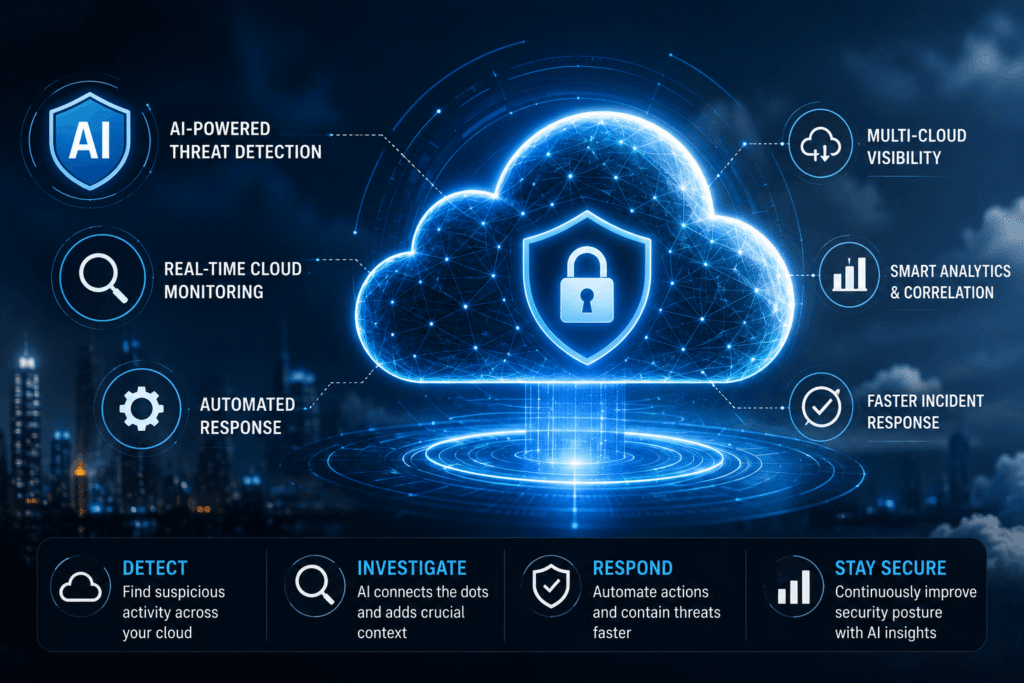
What a Practical Cloud Detection and Response Setup Looks Like
A useful setup doesn’t need to be complicated on paper.
It starts with visibility.
Security teams need information from identities, workloads, applications, network activity, and cloud control planes.
Then comes detection.
The system identifies activity that deserves investigation.
Next comes context.
The alert is connected to the affected resource, account, permissions, vulnerabilities, and surrounding activity.
Then comes response.
The team decides whether to investigate, contain, recover, or escalate.
AI can assist across several of those stages, particularly when there is too much security data for analysts to process manually.
But the goal isn’t to remove people from the process.
It’s to give them a clearer picture before they have to make an important decision.
The Real Value Is Shorter Time Between Detection and Action
A cloud attack doesn’t wait for a security analyst to finish reading every log.
The longer suspicious activity goes unnoticed, the more opportunities an attacker may have to move, escalate access, or reach sensitive information.
That’s why the value of cloud detection and response isn’t simply the number of alerts a platform can generate.
It’s what happens between the first suspicious event and the moment the organization understands and contains the threat.
Google Cloud’s 2026 research argues for automated evidence collection, AI-assisted analysis, and context-aware mitigation specifically because cloud incidents can develop faster than traditional manual investigation processes.
For security teams, that’s the practical question worth asking:
When something unusual happens in the cloud at 2 a.m., how quickly can your team move from “we have an alert” to “we know what happened and what we’re doing about it”?