An employee opens a new HR platform once, gets stuck on the second screen, and returns to an old spreadsheet by Friday. This is where HRtech behavior loops matter. A useful prompt at the right moment, followed by feedback and a small sign of progress, can help a new system become part of the workday instead of another tab people avoid.
What HRtech behavior loops look like in daily work
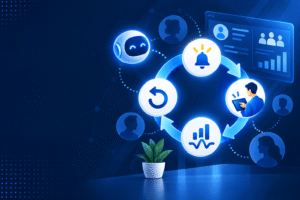
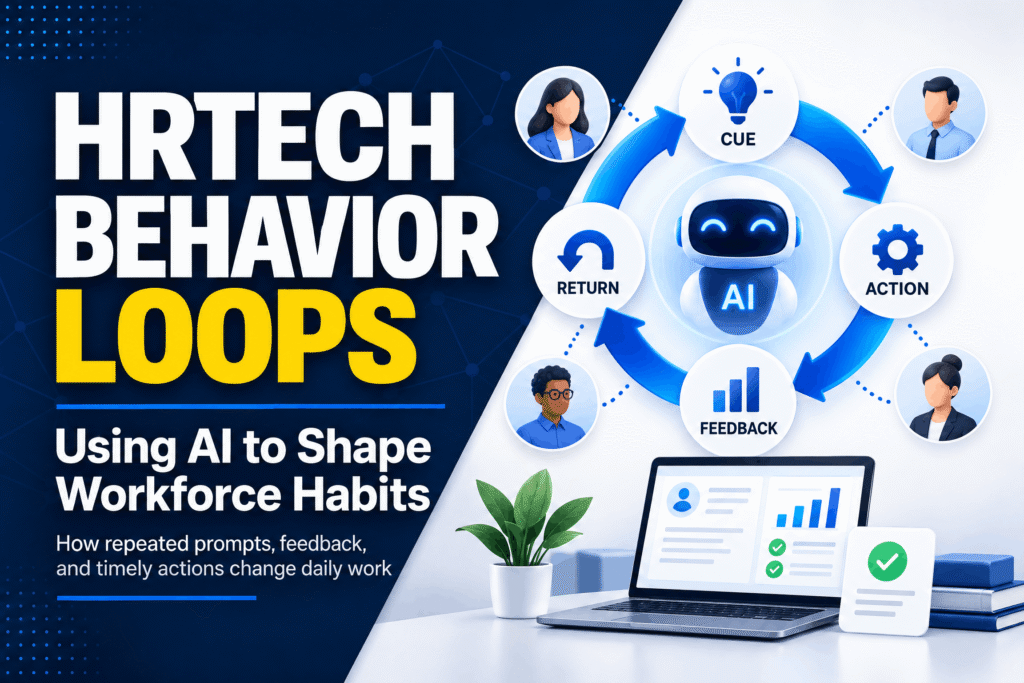
A behavior loop has four parts: a cue, an action, feedback, and a reason to return. The cue might be a reminder before a one-to-one meeting. The action could be recording a goal, checking a policy, or completing a short training task. Feedback tells the employee what happened next. The reason to return may be a saved preference, a clearer dashboard, or less time spent asking the same question.
Consider a manager preparing for a review conversation. The HR platform notices that the meeting is tomorrow and offers three prompts: recent progress, a blocked task, and one piece of feedback. The manager spends five minutes making notes. After the meeting, the system asks whether the prompts were useful and saves the answer for the next cycle.
The loop should fit the work, not interrupt it. A message during a busy shift will be ignored. A reminder that appears when the task is already on someone’s mind has a better chance of being used.
How AI reinforcement in HR supports repeated action
AI reinforcement in HR works best when it responds to context instead of sending the same message to everyone. A learning assistant might notice that an employee has paused halfway through a safety module. Rather than sending “Please complete your training,” it can point to the unfinished section, show how long it takes, and offer to resume from the last page.
That answers the question most people have: “What do I need to do next?”
There is a limit. Too many reminders feel like surveillance. Employees should know why a prompt appears, what information is being used, and how to turn off messages that are not useful. Once trust goes, the loop becomes noise.
Workforce behavior change starts with one visible action
Large rollouts often fail at the first step. The company announces a new platform, publishes a long guide, schedules several training sessions, and assumes adoption will follow. Employees hear the announcement. Then they return to the tools that already help them finish the day.
Workforce behavior change needs a smaller entry point. Ask people to complete one task that solves a real problem. For a recruiter, that might be finding a candidate note without searching across three folders. For a team lead, it may be approving a shift swap from a phone. For an employee, it could be checking leave balance without sending an email.
Once that first action works, the next prompt can arrive later. A payroll question may lead to a saved answer. A saved answer may lead to a profile update. The update may prevent another request next month. The sequence grows from a useful moment, not from a slogan about the new system.
If the platform gives an error, hides the next step, or asks for information people do not have, the old habit returns quickly. Watch those points before adding more features.
Why HR technology adoption depends on timing
HR technology adoption is often treated as a training problem. Training matters, but timing usually decides whether a person uses a tool again. People remember a system when it appears during the task it was built to support.
A prompt to prepare a review is useful before the meeting, not three months earlier. A benefits reminder belongs near the enrollment window. A manager asking about absence rules needs an answer while planning the rota, not a link buried in an intranet page.
Employee habit formation needs visible progress
Employee habit formation becomes easier when progress is easy to see. A short task list, a completed step, or a plain confirmation can give people enough closure to come back. “Your profile is ready for the next payroll run” is often more useful than a cartoon celebration.
People also need to know what their actions have changed. If an employee updates an emergency contact, the platform can confirm where the information will appear and who can view it. If a manager records a goal, the system can show when that goal will be revisited. The small action now has a visible result.
Keep the return path short. If the next visit requires a new password, five menus, and a repeated form, the habit weakens. “I’ll deal with it later” is an easy decision on a crowded workday.
Using continuous AI feedback without making work feel watched
Continuous AI feedback can help people correct a task while there is still time to act. A learning tool may point out that a course is incomplete. A performance system may remind a manager to add a specific example rather than a vague comment. An internal assistant may spot two conflicting policy answers and ask HR to review them.
The feedback should be brief, specific, and optional where possible. “Add an example from the last quarter” is easier to use than “Provide more detail.” “This policy was updated yesterday” is more useful than a general warning that information may be old.
Feedback also needs a human route. Pay disputes, health matters, accommodations, and complaints require a person who can listen and take responsibility. A system that keeps sending automated replies in those moments will lose credibility.
Set boundaries before launch. Decide which data the tool can read, which actions it can suggest, and which decisions must remain with a human. Keep an audit trail for important changes. Tell employees how long their information is kept.
Where AI-driven workplace habits can go wrong
AI-driven workplace habits are not automatically good habits. A system can teach employees to click through a form without reading it, answer a survey with the safest response, or chase a score instead of doing better work. Repetition magnifies both good design and bad design.
Watch for signs that the loop is creating pressure: people rushing through learning, managers copying the same feedback, employees ignoring every notification, or teams finding workarounds outside the official tool. These signs do not always point to resistance. Sometimes the process is simply asking for too much.
Run small tests with real users before a broad release. Ask what they expected to happen, where they hesitated, and which message they ignored. Read the comments, not just the completion rate. A high completion rate can hide confusion if people are completing tasks only to make the prompts disappear.
The strongest loops leave room for judgment. They remind, explain, and point to the next step. They do not pretend that every person works in the same way or that every workplace question has one neat answer.
A practical starting point for HR teams
Pick one repeated task with a clear owner and a visible cost. Where does the person begin? Where do they stop? What information do they lack?
Then add one cue, one useful action, and one piece of feedback. Measure how long the task takes, how often people return for help, and what they say after using the new path. Do not judge the result from clicks alone.
If the loop helps, extend it to the next related moment. If it annoys people, remove the prompt or change its timing. The aim is not to make employees interact with software more often. It is to help them finish important work with fewer dead ends.