If you run a small or mid-sized business, you’ve probably found yourself thinking about the cloud vs on-premise question more than once. You have important data, software, and systems that keep your business running, and you need to decide whether to keep everything on your own servers or move it all (or part of it) to the cloud. It’s not just a tech decision; it affects your monthly costs, how safe your information is, how easily your team can work, and how much control you keep over your own data.
I’ve sat down with quite a few small business owners who were wrestling with this exact choice. Some were worried about security and wanted to keep everything in-house. Others were tired of managing servers and just wanted something simpler. The truth is there’s no one-size-fits-all answer. What works great for one business can be a headache for another. In this guide, I’ll walk you through the real differences I’ve seen in practice, the pros and cons that actually matter, and how to decide what makes sense for your situation.
Why the Cloud vs On-Premise Decision Matters for Small Businesses
Your technology setup is part of your business foundation. When it works well, you barely notice it. When it doesn’t, it eats up time and money.
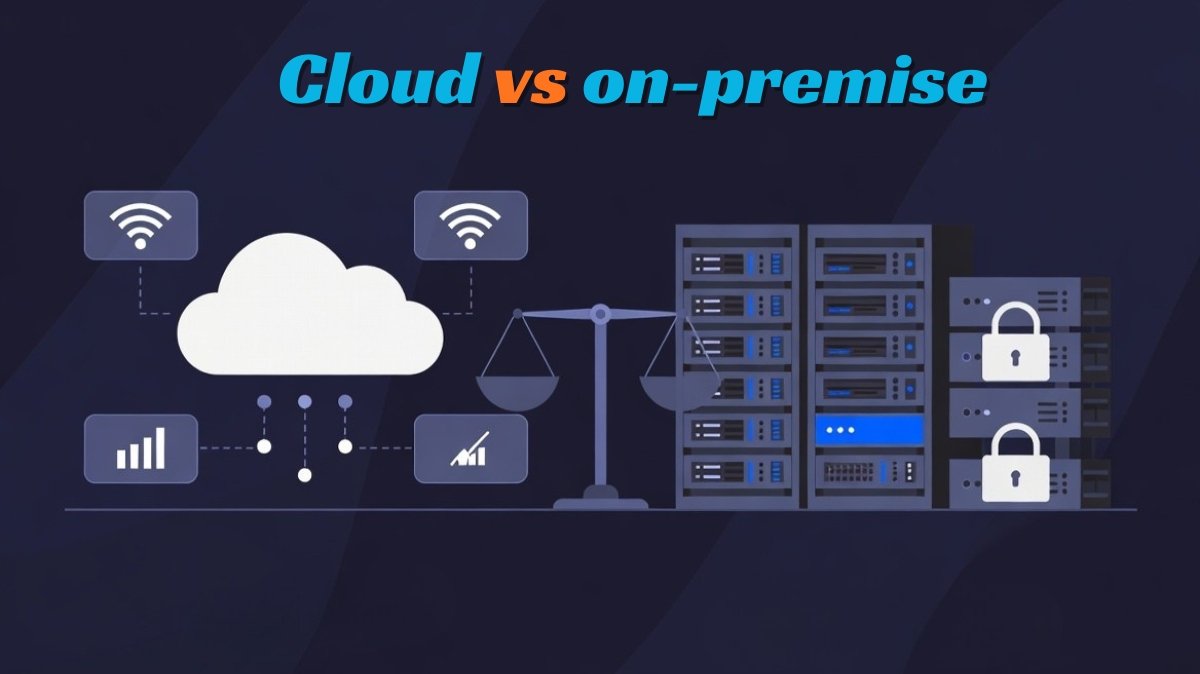
Cloud means your data and software live on someone else’s servers, and you access them over the internet. On-premise means you run everything on your own physical servers or computers in your office or a private data center.
For small businesses, this choice affects several important things:
- How much do you spend upfront versus every month
- How much control do you have over your data
- How quickly can you scale when you grow
- How much IT work lands on your plate
- How safe and compliant your information stays
Many owners I talk to feel stuck because both sides make strong claims. Cloud providers say “easy and cheap.” On-premise supporters say “secure and fully yours.” The reality is more nuanced, and the best choice depends on your industry, team size, budget, and how you actually work day to day.
What Cloud and On-Premise Actually Look Like in Practice
Let’s cut through the jargon and talk about how these two options feel in real life for small businesses.
Cloud Solutions: Your files, emails, CRM, and accounting software are all live on the provider’s servers. You log in through a browser or app. Examples include Google Workspace, Microsoft 365, Salesforce, Dropbox, and AWS. You pay a monthly or yearly fee, and the provider takes care of updates, backups, and most of the security.
On-Premise Solutions: You install and run the software on servers or computers that you own and control. This could be in your office or a rented data center. You’re accountable for hardware, updates, backups, and protection. Traditional accounting software programs, self-hosted ERP systems, or custom-constructed solutions frequently work this way.
In normal phrases, the cloud is like renting a rental; a person else maintains the building, however you comply with their guidelines. On-premise is like proudly owning your home; you have complete control, but you may take care of all of the renovation and upkeep yourself.
Pros and Cons of Cloud Solutions
From what I’ve seen working with small businesses, here’s the honest picture:
Pros of Cloud
- Much lower upfront cost, no need to buy expensive servers
- Easy to add users as you grow
- Automatic updates and backups
- You can work from anywhere with an internet connection
- Built-in security features and compliance tools
- Less day-to-day IT work for your team
Cons of Cloud
- Monthly or annual fees that keep adding up
- You depend on the quality of the internet connection
- Less control over your data
- You’re at the mercy of the provider’s policies and pricing changes
- Potential vendor lock-in
Many small business owners I know love the cloud because it removes the headache of managing hardware and lets them focus on running their business instead of babysitting servers.
Pros and Cons of On-Premise Solutions
Pros of On-Premise
- Full control over your data and systems
- No recurring subscription fees after the initial setup
- Better for industries with strict data regulations
- Can be more cost-effective in the long run for some businesses
- No dependency on internet speed for core operations
Cons of On-Premise
- High upfront cost for hardware and software
- You are responsible for all maintenance, updates, and security
- Scaling is slower and more expensive
- Requires internal IT expertise or hired help
- Risk of downtime if hardware fails
Small businesses that choose on-premise usually do so because they need maximum control or work in highly regulated fields. However, most small teams find the ongoing maintenance and hardware costs challenging.
Which One Should Your Small Business Choose?
There is no single “best” answer that fits every business. Here’s a practical way to think about it:
Choose cloud if:
- You have a small team and limited IT resources
- You want low upfront costs and easy scaling
- Your team works remotely or from different locations
- You want automatic updates and backups
Choose on-premise if:
- You have strict data security or compliance requirements
- You prefer full ownership and control
- You have the budget and expertise to manage servers
- You want to avoid ongoing subscription fees
Many small corporations I’ve labored with grow to be with a hybrid method the usage of cloud equipment for email, collaboration, and customer control, whilst maintaining sensitive economic or operational statistics on-premise or in a personal cloud.
The most important thing is to be honest about where you are right now and where you want to be in the next 12–24 months. Many owners start with cloud because it’s simpler and cheaper upfront, then move certain parts on-premise as they grow and need more control.
Cloud vs on-premise
Take a few minutes this week to list your biggest technology needs and concerns. Are you more worried about cost, control, security, or ease of use? That single list will point you in the right direction.
Cloud vs on-premise doesn’t have to be an all-or-nothing decision. Many successful small businesses use a smart mix of both. The key is choosing what fits your business today while keeping room to grow tomorrow.
You don’t need to be a technology expert to make the right choice. You need clear information and a practical plan. Start with the areas that cause you the most pain right now, and build from there.